Guide
Make a Magic Keyboard Sound Mechanical on Mac
Serhii ChernikovUpdated
The Magic Keyboard is quiet by design. Add Cherry MX, Holy Panda, and other switch recordings in software so the same keys feel mechanical on Mac.
You do not need to glue switches into the aluminum. A menu bar app plays a real switch recording on every key, on the same Magic Keyboard you already own. The scissor keys stay scissor keys. Your ears get the downstroke and upstroke.
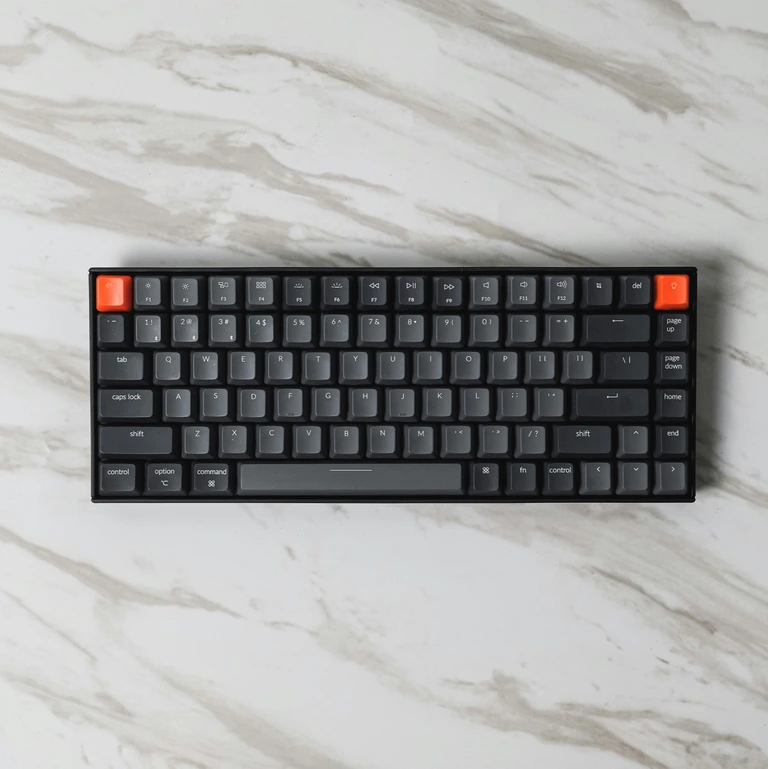
Why the Magic Keyboard sounds flat
The mechanism is a scissor stack, not an MX housing. There is no click jacket, no deep thock chamber, and not much mass in the keycap. The Bluetooth link also does not change the acoustics. Quiet hardware stays quiet.
Software does not make the key feel heavier in your finger. It adds the missing audio layer so your brain gets the press and release you remember from a mechanical board.
What you actually install
CupertinoClicks sits in the menu bar on macOS 13 or later. It listens for key events and plays named presets from the switch library: Cherry MX, Gateron, Akko, Everglide, Drop Holy Panda, Topre Classic, IBM Buckling Spring, and the rest of the 30 keyboard presets. Mouse click presets (Quartz, Onyx, Porcelain, Steel, Flint) are separate if you use a Magic Mouse or another pointer.
The same app works on a MacBook’s built-in keyboard. The Magic Keyboard is not a special edition. It is just another source of key events.
First-time install is four steps in how to add keyboard sounds on a Mac: download, follow Getting Started (Input Monitoring, pick a switch, set the tone), then optionally open the trainer.
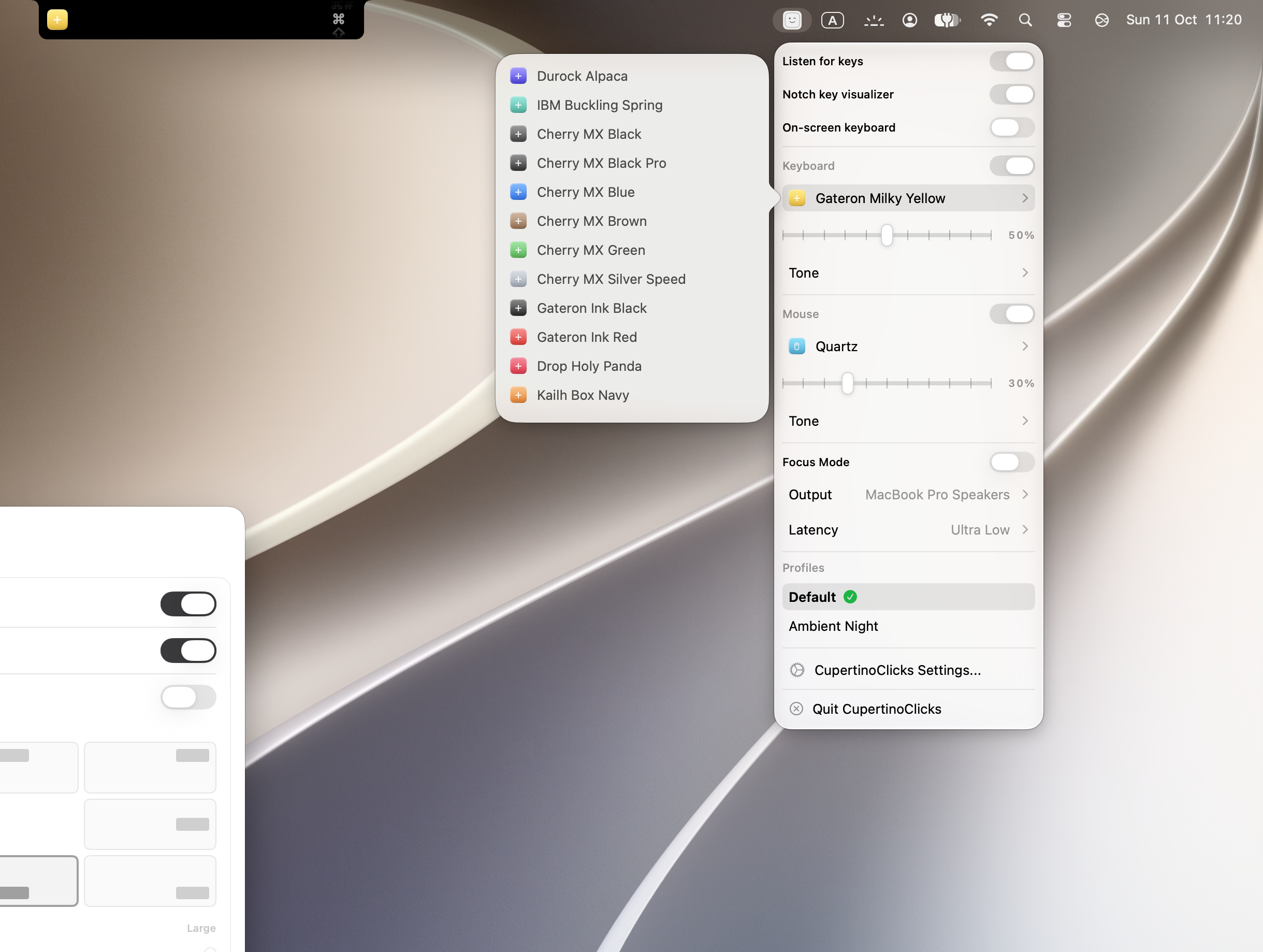
Picking a sound that fits a quiet board
A Magic Keyboard is already soft. A harsh clicky sample can feel like it was pasted on. Start with a tactile or linear:
- Tactile bump: Cherry MX Brown, Drop Holy Panda, Everglide Oreo, or Topre Classic
- Warm linear: Cherry MX Black Pro, Gateron Ink Black, Durock Alpaca, Novelkeys Cream, Akko Creamy Purple, or Obsidian
- Clicky: Cherry MX Blue, Cherry MX Green, Kailh Box Navy, Alps SKCM Blue, or IBM Buckling Spring – only if nobody nearby minds
- Fast linear: Cherry MX Silver Speed
Use the Tone Pad to lean toward thock if a preset still feels thin. Keep volume lower than you think. On a quiet scissor board, a modest sample reads as quality.
Headphones help. Spatial Audio pans left keys left and right keys right on laptop speakers and headphones. It is stereo pan by key zone, not Apple HRTF. Bluetooth sets (AirPods included) can add delay the app cannot remove.
Try presets first in the online typing trainer. Then use the same switch in the Mac app so Slack and Safari match.
Every named preset in CupertinoClicks
CupertinoClicks ships 30 keyboard presets (26 mechanical recordings and 4 novelty packs) plus 5 mouse click presets. The names below match the menu bar. Hear them in the online typing trainer, or read how each switch feels on the mechanical keyboard switch library.
Durock. Durock Alpaca.
IBM. IBM Buckling Spring.
Cherry MX. Cherry MX Black, Cherry MX Black Pro, Cherry MX Blue, Cherry MX Brown, Cherry MX Green, Cherry MX Silver Speed, and Obsidian.
Gateron. Gateron Ink Black, Gateron Ink Red, Gateron Turquoise Tealios, Gateron Milky Yellow, Gateron Green Apple, and Gateron Yellow Pro.
Drop. Drop Holy Panda.
Kailh. Kailh Box Navy.
NovelKeys. Novelkeys Cream.
Alps. Alps SKCM Blue.
Topre. Topre Classic.
Flurples. Flurples Cardboard.
Keychron. Keychron Super Red.
Akko. Akko Creamy Purple and Akko V3 Cream Yellow.
Everglide. Everglide Crystal Purple and Everglide Oreo.
Novelty. Bruh, Gunshot, Spongebob laugh, and Whip.
Mouse clicks
Quartz, Onyx, Porcelain, Steel, and Flint.
Bluetooth, Focus, and “it works on the laptop but not the Magic Keyboard”
If the MacBook keys have sound and the Magic Keyboard does not, the app is running. The wireless board is either not the focused input, or macOS is still waiting on Input Monitoring for events that arrive over Bluetooth.
- Click the Magic Keyboard so it is the active device
- Toggle Input Monitoring off and on, then quit and reopen the app
- Check that listening is on in the menu bar
The longer debug list is typing sounds not working on Mac. Privacy of that permission is covered in are typing sound apps safe.
What you will not get
Software will not change travel or make the Magic Keyboard feel like a heavy desktop board in your hands. It also will not add Haptyk-style force volume – that needs a supported built-in MacBook keyboard, not an external scissor.
What you will get is named mechanical audio on the keyboard you already carry, plus an optional on-screen overlay and notch visualizer if you want to see keys as well as hear them.
When you are ready to install, get CupertinoClicks for Mac or keep comparing sounds in the trainer.
FAQ
Can software make a Magic Keyboard feel like a mechanical board?
No. Software adds the missing audio layer: downstroke and upstroke samples. It will not change travel, make the keys heavier in your finger, or add Haptyk-style force volume. Force volume needs a supported built-in MacBook keyboard, not an external scissor board.
Why do MacBook keys have sound but the Magic Keyboard does not?
The app is running. The wireless board is either not the focused input, or macOS is still waiting on Input Monitoring for events that arrive over Bluetooth. Click the Magic Keyboard so it is the active device, toggle Input Monitoring off and on, then quit and reopen the app.
Do AirPods work with Magic Keyboard sounds?
Yes. Spatial Audio in CupertinoClicks pans left keys left and right keys right on headphones as well as laptop speakers. Bluetooth headphones can add device delay the app cannot remove. If the sound feels late, try wired output or the Ultra Low latency preset.