What happens after you buy?
Written by Serhii Chernikov, CupertinoClicks makerLast updated
You pay $4.99 one-time, download a DMG, unlock with the email you used at checkout, and type. No CupertinoClicks account. No subscription. Getting Started takes you from Input Monitoring to the first sound.
This is the path for the direct download from this website. The Mac App Store listing is on the way, and that build will not need email activation. Prefer to hear a switch first? Open the online typing trainer.
Here's the path
Four steps from payment to key clicks. None of them require a website login.
- 1
Pay once at checkout
You leave this site for Lemon Squeezy, pay once, and come back. Use an email you can open on your Mac – that address is how you unlock the app. There is no CupertinoClicks account to create.
- 2
Download the Mac app
After payment you land on a success page and the DMG should start. If the browser blocks it, use the link on that page or open the receipt in your inbox. Drag CupertinoClicks to Applications, then eject the disk image.
- 3
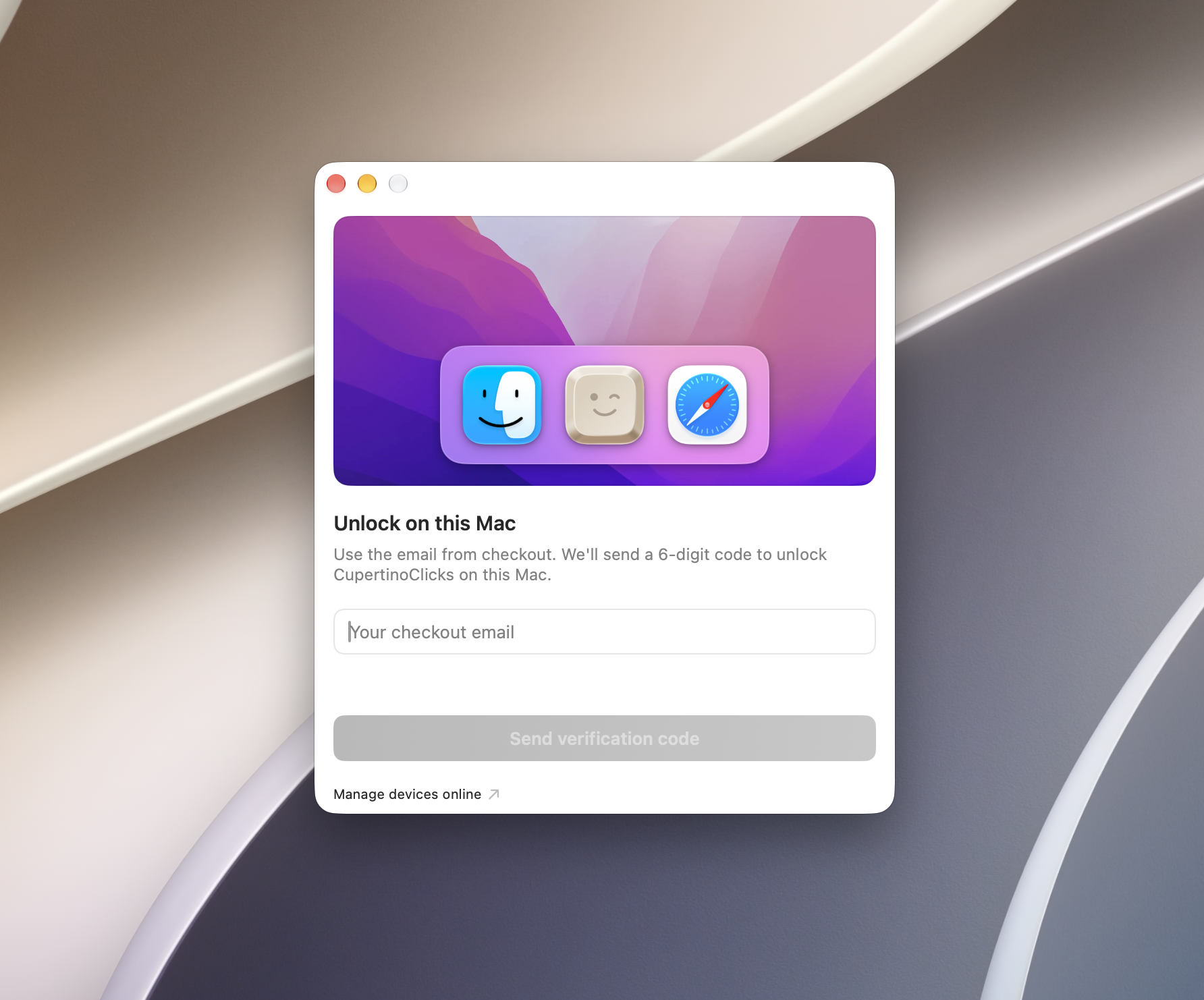
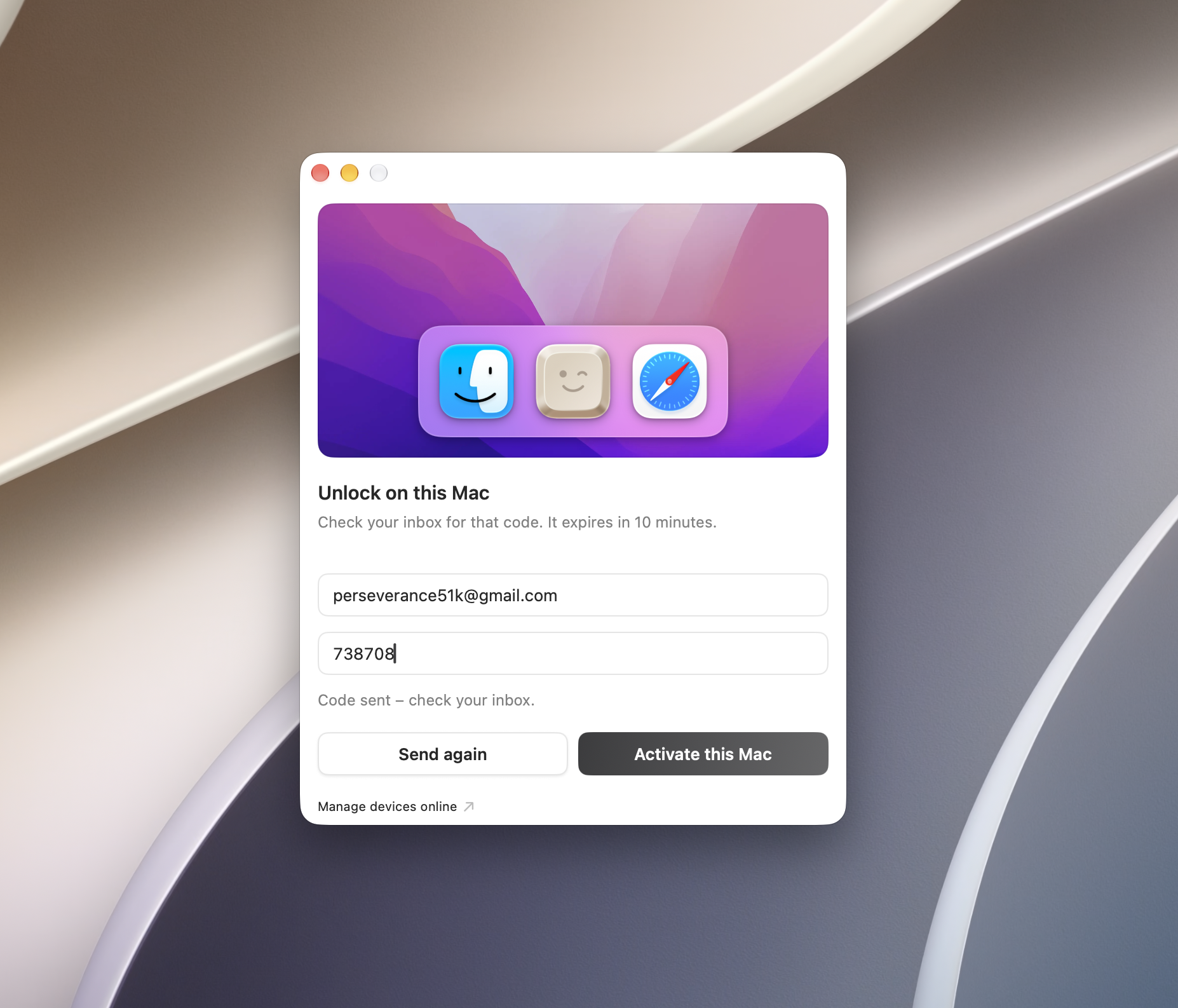
Unlock this Mac with that email
Launch the app and enter the same address you used at checkout. Tap Send verification code, then paste the 6-digit code from your inbox. The code expires in 10 minutes. Each purchase activates on up to two Macs and keeps working offline after that.
- 4
Follow Getting Started, then type anywhere
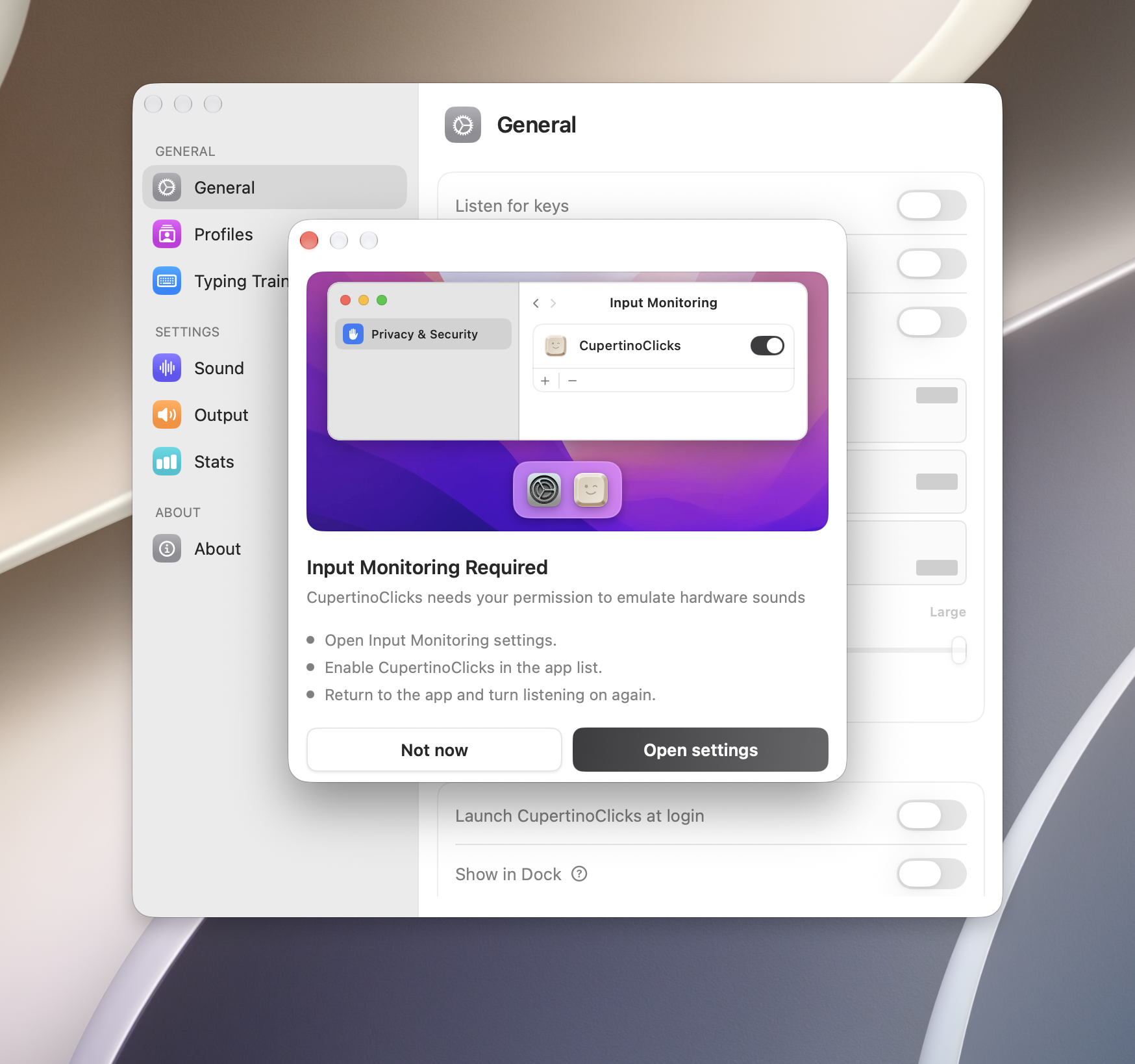
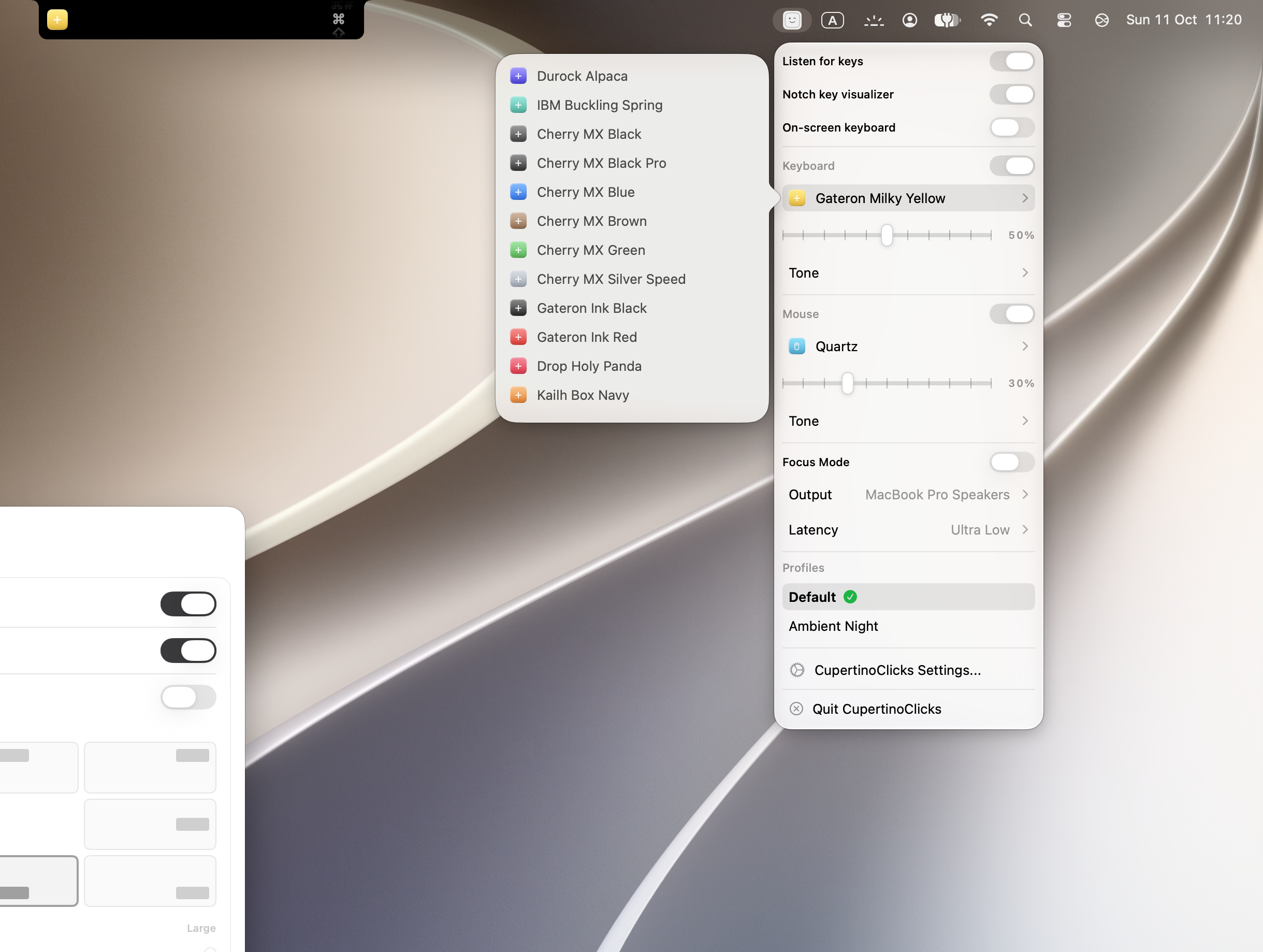
Grant listen-only Input Monitoring so sounds play while Safari or Slack has focus. Pick a switch, set the Tone Pad, and type. The extra sits in the menu bar. Show in Dock is optional in Settings → General.
Want more on Input Monitoring, the Tone Pad, and overlays? Follow how to add keyboard sounds on a Mac.
What the purchase includes
You buy a license, not a box. It is one payment for this major version of CupertinoClicks. After activation the app does not need the network to play sounds. Input Monitoring is listen-only: key codes pick a local sample. The app does not log what you type.
- DMG for macOS 13 or later, Intel and Apple Silicon
- Activate on up to two Macs at a time
- Works offline after activation
- 30 keyboard presets, 5 mouse presets, Tone Pad, trainer, and overlays
- Free updates for this major version
Replace a machine later? Deactivate the old one at account/devices or in Settings, then unlock the new Mac with the same checkout email. Lost the DMG? Download the latest installer from that same page after you verify the email.
If a step stalls
Most of this is email and a permission prompt. Here is where people usually get stuck – and how to get past it.
The download did not start
Use the link on the success page, then the receipt in your inbox. Peek in spam if you do not see it. The same order can download again from that success URL if you still have it. Later, verify your purchase email at account/devices to download the latest installer again.
The 6-digit code did not arrive
Enter the checkout email, not a different one. Wait a minute, check spam, then tap Send verification code again from the app. The code expires in 10 minutes.
You replaced a Mac
Deactivate the old device at account/devices or from Settings in the app, then unlock the new Mac with the same email. Two at a time.
You need help with a purchase
Direct purchases go through Lemon Squeezy. Refund eligibility follows their buyer policies and applicable consumer law. Reach us through Feedback. App Store refunds go through Apple. The Terms of Use spell this out.
FAQ
Is this a subscription?
No. You pay once for this major version. There is no recurring charge.
How many Macs can I use?
Two at a time. Deactivate an old Mac from the account page or from Settings, then unlock the new one with the same checkout email.
Do I need a CupertinoClicks account?
No. Checkout collects an email so we can send the receipt and the 6-digit unlock code. That is not a website login.
What if I do not get the download or the code?
Check the success page link, then the receipt in your inbox – peek in spam. Later, verify that email at account/devices to download the installer again. For the code, use the same email you used at checkout, wait a minute, and tap Send verification code again. The code expires in 10 minutes.
Does the Mac App Store build need email activation?
No. Apple handles access through your App Store account. The listing is on the way. This page describes the direct download from this website.
Can I try the sounds before I pay?
Yes. The free online typing trainer plays the same 30 keyboard presets in your browser, with live WPM. That is a preview of the sounds, not a Mac-app trial – native latency, CPU, and Spatial Audio are in the installed CupertinoClicks app.