Mechanical keyboard sounds for Mac
Written by Serhii Chernikov, CupertinoClicks makerLast updated
CupertinoClicks is a macOS keyboard sound app for MacBook and Magic Keyboard. It brings mechanical keyboard sounds to every app you use. It is a lightweight menu bar utility for macOS 13+ that plays short, realistic switch samples while you type – extra-low latency, extra-low CPU, Spatial Audio on laptop speakers and headphones, no bulky keyboard software, no account, and no cloud sync required.
A keyboard sound app sits in the menu bar and plays switch samples system-wide. It is software, not a new board: the same laptop keys, with Cherry MX, Holy Panda, Topre, and other named switches you already know.
Whether you miss the feel of a physical board on a laptop keyboard or want satisfying audio feedback during long writing sessions, CupertinoClicks adds tactile sound without changing how you work.
Real mechanical switch sounds, not stock clicks
Every preset is built from real switch recordings - Cherry MX, Holy Panda, Topre, Novelkeys, Box Navies, and more. These are not generic click effects layered on top of your typing. Each key has a distinct downstroke and upstroke, and Sound Variations adds subtle randomness so keystrokes never sound robotic.
Choose from 30 keyboard switch presets - including Cherry MX, Drop Holy Panda, Topre Classic, and Kailh Box Navy - and hear the difference between creamy linears, sharp tactiles, and clicky boards. The full named list is in the mechanical keyboard switch library.
Tune thock and clack with the Tone Pad
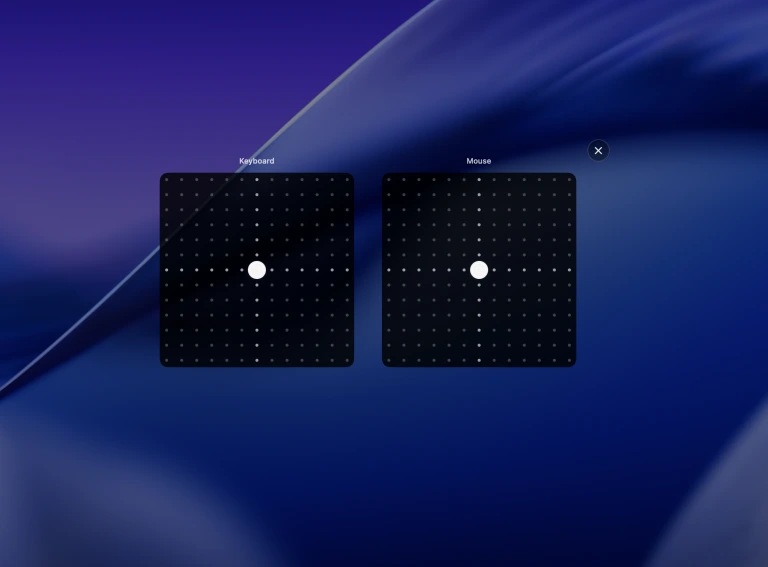
The Tone Pad lets you drag between thock and clack. Keyboard and mouse each have a pad. Open Tone from the menu bar, or set it in Getting Started on first launch. Dial in the character you want – deeper and muted, or brighter and sharper – then keep typing.
It is a quick way to explore mechanical keyboard sounds for Mac without swapping hardware.
Mouse sounds included
Left and right clicks get their own presets – five mouse click sounds today, with more on the way, recorded with the same care as the keyboard switches. Toggle mouse sounds independently from keyboard audio in the menu bar.
On-screen keyboard, only here
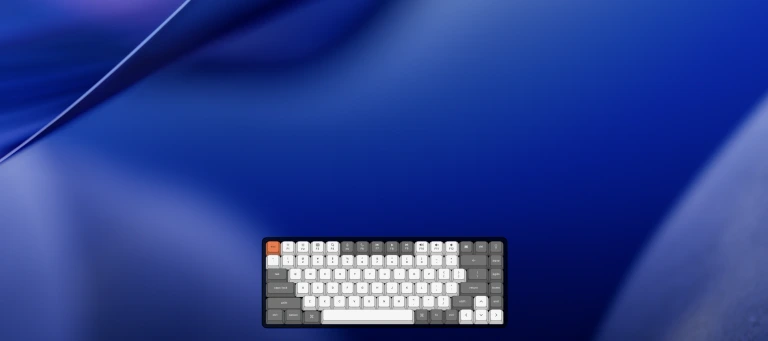
Turn on the on-screen keyboard from the menu bar and a click-through overlay highlights each key while you type in Safari, Slack, Xcode, or anywhere else. None of the other Mac keyboard sound apps in this category ship that overlay.
On a MacBook, the notch visualizer can show the same key in the notch. Keeby is the other app that does that. You can run both overlays with sound off if you only want the visual feedback.
A typing trainer in the app, and in the browser
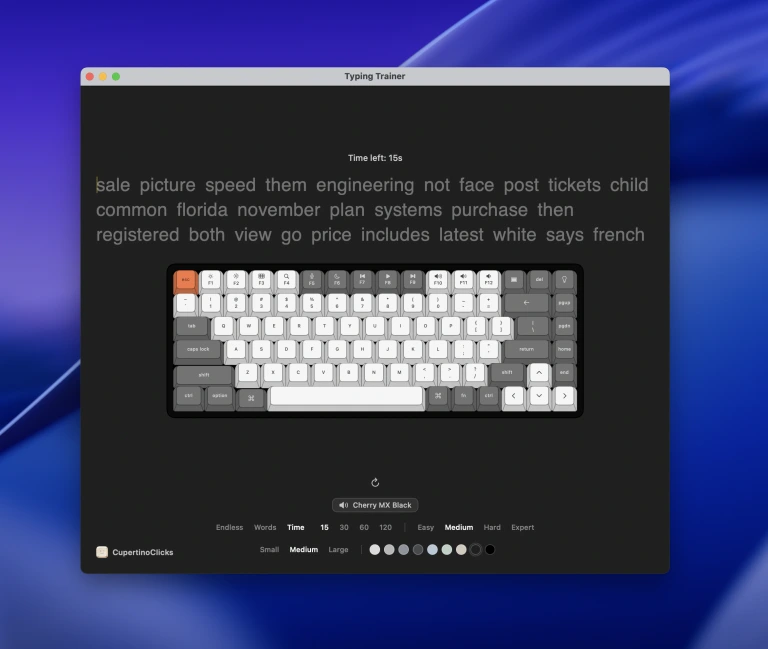
The Mac app includes a built-in typing trainer with live WPM and accuracy, so you can practice without leaving CupertinoClicks. Want to hear Cherry MX Blue before you install anything? Open the free online typing trainer or read typing trainer with keyboard sounds.
Works system-wide on your Mac
CupertinoClicks runs across Safari, Slack, Xcode, Notes, and anywhere else you type on your Mac. Extra-low latency keeps the sample on the key. Spatial Audio pans left keys left and right keys right on speakers and headphones. Extra-low CPU stops the live engine after a minute of silence. Toggle sounds, swap presets, adjust volume, and switch profiles from the menu bar without leaving your workflow.
Save a quiet work profile and a louder weekend setup, then jump between them in one click. Focus Mode can auto-mute the app in apps like Zoom or games when you need silence.
Privacy-first by design
The app maps key codes to local audio cues with listen-only Input Monitoring – not Accessibility, not Full Keyboard Access. It does not log or transmit what you type. No account, no cloud, and no data leaving your Mac. For full details on permissions and data handling, see Privacy & safety.
Keyboard sound effects while typing - software vs hardware
Want keyboard sound effects while typing on Mac? A system-wide sound app is usually the fastest fix. Software adds synced audio on a MacBook, Magic Keyboard, or quiet external board - without buying a loud mechanical keyboard first. Headphones keep the sound private in a coffee shop, on a plane, or anywhere you already own a mechanical board at the desk and the MacBook is the one you packed.
Buy hardware when you need different key travel or ergonomics. Sound software does not quiet a loud board in the room - it only changes what you hear through your Mac speakers or headphones. Want to hear switch presets before you buy? Open the free online typing trainer or read typing trainer with keyboard sounds. If you are comparing vendors, see the Klack alternative, Haptyk alternative, Keeby alternative, or the Mac keyboard sound app roundup. Setup steps are in how to add keyboard sounds on a Mac.
FAQ
What is a macOS keyboard sound app?
A macOS keyboard sound app is a menu bar utility that plays recorded mechanical switch samples when you type, in every app. CupertinoClicks is a macOS 13+ app with 30 keyboard presets, 5 mouse presets, extra-low latency, extra-low CPU, Spatial Audio on laptop speakers and headphones, a typing trainer, and an on-screen keyboard overlay.
Does it work on a MacBook keyboard?
Yes. CupertinoClicks plays MacBook keyboard sound from key events on the built-in board, a Magic Keyboard, or most USB or Bluetooth keyboards. Intel and Apple Silicon Macs both work. You do not need a physical mechanical keyboard.
How do I get keysounds for Mac?
Download CupertinoClicks, grant Input Monitoring, and pick a switch preset. The samples stay on the Mac. You can hear the same keysounds first in the free online typing trainer, with no account.