Klack alternative for Mac: 30 keyboard presets vs Klack's 6
Written by Serhii Chernikov, CupertinoClicks makerLast updated
CupertinoClicks is the Klack alternative if you want 30 keyboard presets instead of 6, plus 5 mouse click presets, a Tone Pad, a typing trainer, and keys on screen. Same $4.99 one-time price as Klack. CupertinoClicks runs on macOS 13+, Intel and Apple Silicon, MacBook or most external boards. Klack requires macOS 15 or later.
Stay on Klack if six keyboard presets, an App Store install, and macOS 15 or later are enough. The 1:1 is CupertinoClicks vs Klack. This page is the wider field, including free options.
30 keyboard presets vs 6 keyboard presets
Klack currently ships 6 keyboard presets and 1 mouse sound. CupertinoClicks ships 30 keyboard presets and 5 mouse click presets. Pick them by name in the switch library. Klack's per-key recordings set a high bar for that job; CupertinoClicks ships the same idea with a larger list.
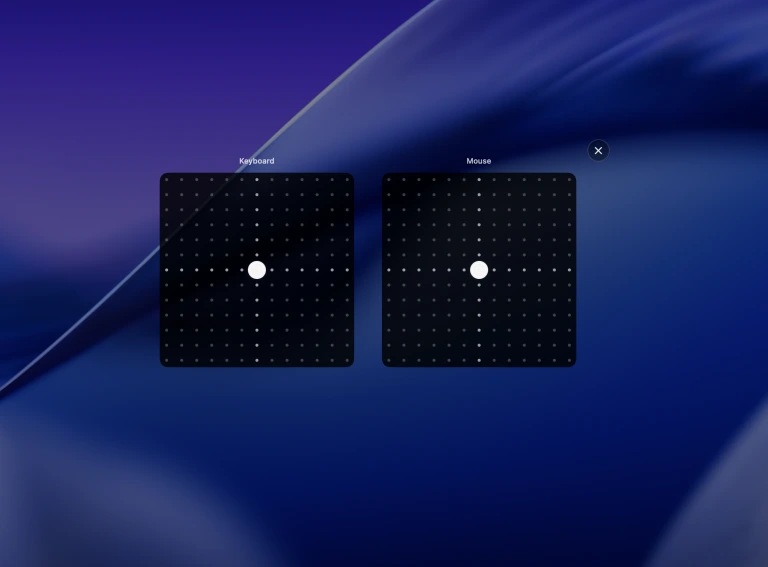
Drag the Tone Pad toward thock or clack, then lock a switch. Spatial Audio pans left keys left and right keys right on laptop speakers and headphones. Extra-low latency keeps the sample on the key. Extra-low CPU stops the live engine after a minute of silence.
Paid, free-to-start, and free
People who type “Klack alternative” usually want a larger library, a lower price, or both. CupertinoClicks stays in Klack’s $4.99 band with 30 keyboard presets versus Klack’s 6. KeyBell is free to start. Open-source Thock is $0. Public listings as of August 2026.
Price
- CupertinoClicks
- $4.99 one-time
- KeyBell
- Free with in-app purchase
- Thock (open source)
- Free
macOS
- CupertinoClicks
- macOS 13+
- KeyBell
- macOS 11+
- Thock (open source)
- macOS
Intel / Apple Silicon
- CupertinoClicks
- Intel and Apple Silicon
- KeyBell
- Intel and Apple Silicon
- Thock (open source)
- macOS
What it listens to
- CupertinoClicks
- Any connected keyboard
- KeyBell
- Key events
- Thock (open source)
- Key events
Presets
- CupertinoClicks
- 30 keyboard + 5 mouse
- KeyBell
- 25+ profiles in five categories
- Thock (open source)
- Built-in packs plus community registry
Mouse sounds
- CupertinoClicks
- 5 mouse presets
- KeyBell
- Yes
- Thock (open source)
- Yes
Typing trainer
- CupertinoClicks
- Built-in Mac app + free in the browser
- KeyBell
- No
- Thock (open source)
- No
On-screen keyboard
- CupertinoClicks
- Yes, system-wide overlay
- KeyBell
- No
- Thock (open source)
- No
Notch visualizer
- CupertinoClicks
- Yes
- KeyBell
- No
- Thock (open source)
- No
Input Monitoring
- CupertinoClicks
- Key codes only
- KeyBell
- Yes
- Thock (open source)
- Accessibility permission
Where to get it
- CupertinoClicks
- Direct download
- KeyBell
- Mac App Store
- Thock (open source)
- GitHub / Homebrew
Is there a free Klack alternative for Mac?
There is no free Klack clone with the same App Store install and the same six-preset job. Two $0 paths exist if price is the only filter.
KeyBell is free to start, with an in-app purchase to unlock 25+ profiles and per-app sounds. Open-source Thock is a GitHub or Homebrew download if you want community packs or your own files.
CupertinoClicks is not free. It is $4.99 one-time, the same ballpark as Klack, with a free browser trainer so you can hear the 30 keyboard presets before you buy. Haptyk is a different paid fork: $8 after a trial, force-sensitive volume on supported Apple Silicon MacBooks only. Read the Haptyk alternative if that hardware trick is the reason you would leave Klack.
Keys on screen, which Klack skips
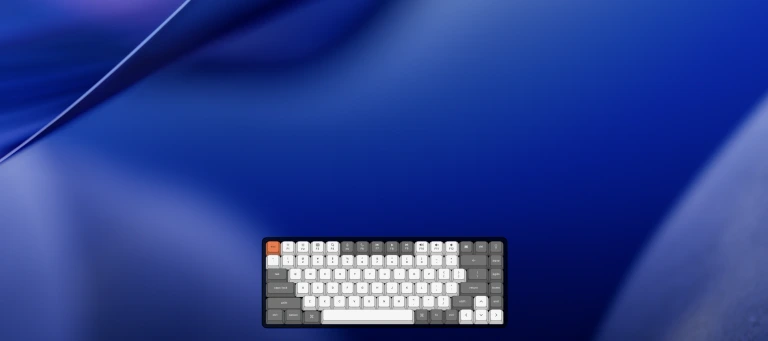
CupertinoClicks can float a click-through on-screen keyboard over whatever you are typing in. Keys light up as you press them, in any app. Klack, KeyBell, and Thock do not list that overlay.
On a MacBook, the notch visualizer shows the same key in the notch. Keeby is the other app in the category with a notch overlay. Klack does not ship either visualizer.
When to switch, and when to stay
If Klack already covers your typing, stay. Switch when the library or extras are why you would open another app. Klack requires macOS 15 or later; its current listing is Apple Silicon only. CupertinoClicks runs on Intel and Apple Silicon from macOS 13.
Switch to CupertinoClicks if you want
- 30 keyboard presets instead of 6
- A Tone Pad, Spatial Audio on laptop speakers and headphones, and extra-low latency
- Five mouse click presets, a trainer, or keys on screen
- An Intel Mac, or macOS 13 or 14; Klack requires macOS 15+
Stay on Klack if you want
- The App Store name you already know and a short install
- A Mac already on macOS 15 or later
- Six keyboard presets and one mouse preset, and nothing else
- No trainer and no overlays
The head-to-head table lives on CupertinoClicks vs Klack.
Hear the switches before you pay
Klack offers landing-page previews and a refund window. CupertinoClicks lets you type in the free online typing trainer with the same 30 keyboard presets, live WPM, and accuracy. No account. The Mac app adds system-wide sound, the built-in trainer, and overlays after a $4.99 one-time purchase.
FAQ
Is CupertinoClicks a Klack alternative?
Yes. CupertinoClicks does the same menu-bar job with 30 keyboard presets vs Klack's 6, plus 5 mouse click presets, a Tone Pad, a typing trainer, and on-screen keys. CupertinoClicks is $4.99 one-time, macOS 13+, Intel and Apple Silicon. Klack requires macOS 15 or later.
Is there a free Klack alternative for Mac?
There is no free Klack clone with the same menu-bar job. KeyBell is free to start, with an in-app purchase to unlock everything. Open-source Thock is a free download from GitHub or Homebrew. CupertinoClicks is $4.99 one-time, the same ballpark as Klack, with a free browser trainer so you can hear the 30 keyboard presets before you buy.
What is a free alternative to Klack for Mac?
KeyBell (free with in-app purchase) and open-source Thock are the $0 Mac apps. CupertinoClicks is not free. It is a $4.99 one-time download with a free online typing trainer for WPM, accuracy, and the same switch sounds before you buy.
Does CupertinoClicks work on Intel Macs or macOS 13?
Yes. CupertinoClicks runs on Intel and Apple Silicon from macOS 13. Klack requires macOS 15 or later; its current listing is Apple Silicon only.
Can I try the sounds before buying?
Yes. Open the free CupertinoClicks typing trainer in a browser to hear the 30 keyboard presets with live WPM and accuracy. Klack offers landing-page previews and a refund window.
Does CupertinoClicks log what I type?
No. The app maps key codes to local preset sounds with listen-only Input Monitoring, not Accessibility and not Full Keyboard Access. It does not log or transmit typed content.