Guide
Make a MacBook Keyboard Sound Mechanical
Serhii ChernikovUpdated
Add Cherry MX, Holy Panda, and other switch recordings to your MacBook's built-in keyboard in software, without changing the scissor mechanism.
You install a menu bar app that plays a real switch sample on every key press and release. The built-in scissor keys stay the same under your fingers. Your ears get downstroke and upstroke audio, extra-low latency, and optional Spatial Audio that pans by key zone. Nothing in the stack changes travel or feel.
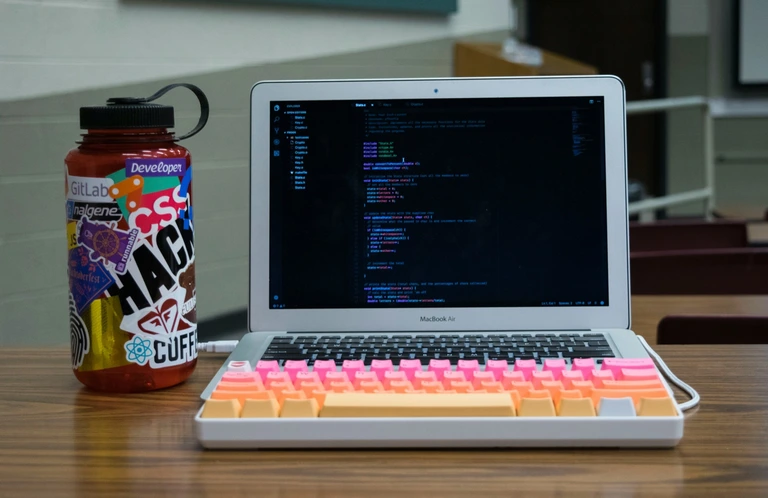
Why MacBook keys sound flat
Apple’s built-in keyboard uses a scissor mechanism, not an MX housing. The keycaps are thin. There is no click jacket, no deep thock chamber, and not much mass to damp the strike. The butterfly era is gone on current models, but the goal is still the same: a quiet, low-profile board that fits in a laptop lid.
That hardware choice is fixed. You cannot swap in thicker caps or case foam without a different machine. What you can change is the audio layer your brain uses to judge a press.
Software does not make the key feel heavier. It adds the missing sound so typing reads as mechanical instead of muted plastic.
What you actually install
CupertinoClicks sits in the menu bar on macOS 13 or later. It listens for key events from the built-in keyboard and plays named presets from the mechanical keyboard switch library: Cherry MX, Gateron, Akko, Everglide, Drop Holy Panda, Topre Classic, IBM Buckling Spring, and the rest of the 30 keyboard presets.
The app uses listen-only Input Monitoring so sounds play while another app has focus. That permission is not Accessibility and not Full Keyboard Access. CupertinoClicks maps key codes only. It does not read typing force from the accelerometer the way Haptyk does.
First-time setup is four steps in how to add keyboard sounds on a Mac: download, follow Getting Started (Input Monitoring, pick a switch, set the tone), then optionally open the trainer.
The same app works on a Magic Keyboard or other external board. Built-in keys are the simplest path because there is no Bluetooth handoff. For the wireless sibling, read make a Magic Keyboard sound mechanical.
Picking a preset for laptop speakers
MacBook speakers are close and bright. A harsh clicky sample can feel pasted on at full volume. Start with a tactile or linear that sits on the warm side of the list:
- Tactile bump: Cherry MX Brown, Drop Holy Panda, Everglide Oreo, or Topre Classic
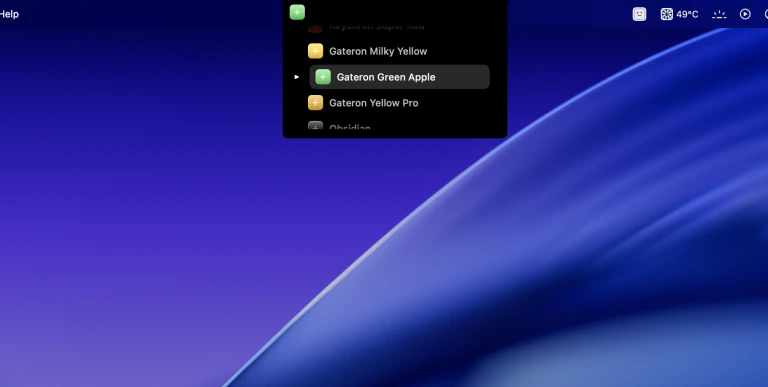
- Warm linear: Cherry MX Black, Cherry MX Black Pro, Gateron Ink Black, Gateron Ink Red, Gateron Milky Yellow, Durock Alpaca, Novelkeys Cream, Akko Creamy Purple, or Obsidian
- Clicky: Cherry MX Blue, Cherry MX Green, Kailh Box Navy, Alps SKCM Blue, or IBM Buckling Spring – only if nobody nearby minds
- Fast linear: Cherry MX Silver Speed
Use the Tone Pad to lean toward thock if a preset still feels thin on the built-in speakers. Keep volume lower than you think. On a quiet scissor board, a modest sample reads as quality. Cranked up, even a good recording starts to sound like a toy.
Try presets first in the online typing trainer. Then pick the same switch in the Mac app so every app matches.
Every named preset in CupertinoClicks
CupertinoClicks ships 30 keyboard presets (26 mechanical recordings and 4 novelty packs) plus 5 mouse click presets. The names below match the menu bar. Hear them in the online typing trainer, or read how each switch feels on the mechanical keyboard switch library.
Durock. Durock Alpaca.
IBM. IBM Buckling Spring.
Cherry MX. Cherry MX Black, Cherry MX Black Pro, Cherry MX Blue, Cherry MX Brown, Cherry MX Green, Cherry MX Silver Speed, and Obsidian.
Gateron. Gateron Ink Black, Gateron Ink Red, Gateron Turquoise Tealios, Gateron Milky Yellow, Gateron Green Apple, and Gateron Yellow Pro.
Drop. Drop Holy Panda.
Kailh. Kailh Box Navy.
NovelKeys. Novelkeys Cream.
Alps. Alps SKCM Blue.
Topre. Topre Classic.
Flurples. Flurples Cardboard.
Keychron. Keychron Super Red.
Akko. Akko Creamy Purple and Akko V3 Cream Yellow.
Everglide. Everglide Crystal Purple and Everglide Oreo.
Novelty. Bruh, Gunshot, Spongebob laugh, and Whip.
Mouse clicks
Quartz, Onyx, Porcelain, Steel, and Flint.
Spatial Audio on built-in speakers and headphones
Laptop typing can feel flat because every key comes from the same small speaker grille. Spatial Audio in CupertinoClicks spreads the image: left-hand keys pan left, right-hand keys pan right.
It works on built-in MacBook speakers and on headphones, including AirPods. The effect is stereo pan by key zone, not Apple HRTF. You are not getting a surround mix. You are getting a wider field so ASDF and JKL; do not collapse into one point in front of you.
Turn it on in Settings → Sound when you want that width. Leave it off if you prefer a centered sample. Bluetooth headphones can add device delay the app cannot remove. If the sound feels late, try wired output or the Ultra Low latency preset.
Focus Mode, menu bar visibility, and daily use
After launch, CupertinoClicks lives in the menu bar. Look for its icon next to Wi‑Fi and battery. On a crowded bar, it may sit behind the extra-icons chevron (the >> cluster macOS shows when space runs out). Menu-bar managers such as Bartender can hide it too. Open the app from Applications if you cannot find the icon. The icon greys out while Listen for keys is off. Want it in the Dock too? Turn on Show in Dock in Settings → General.
Focus Mode can auto-mute the app in apps like Zoom or games when you need silence. Turn it on from the menu bar, then pick the apps that should stay quiet. Save a quiet work profile and a louder weekend setup, then swap between them from the menu bar without leaving your editor.
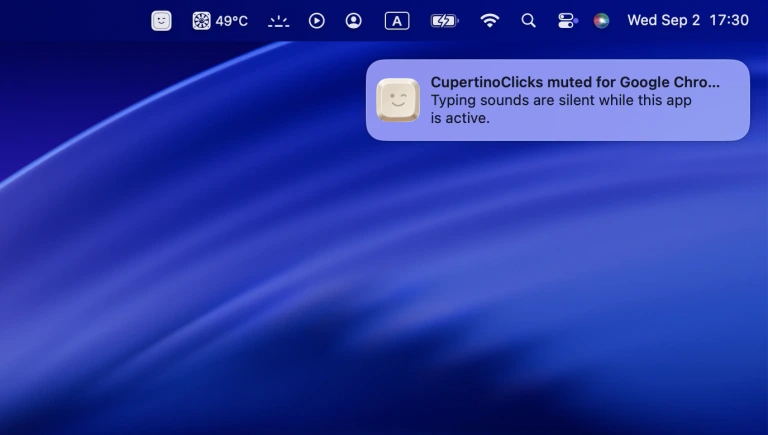
If sounds stop after a call or a macOS update, the usual fixes are listening toggled off, Input Monitoring reset, or output routed to a dead Bluetooth device. Work through typing sounds not working on Mac before you reinstall.
What you will not get
Software will not change key travel or make a MacBook feel like a heavy desktop board in your hands. The scissor stack, the short throw, and the flat keycaps stay as Apple built them.
CupertinoClicks also will not add Haptyk-style force volume. That feature needs another app reading the MacBook accelerometer. This app plays a fixed sample per key at the volume you set. External boards never get force volume from Haptyk either – that trick is limited to supported built-in Apple Silicon keyboards.
What you will get is named mechanical audio on the keyboard you already own, extra-low latency, extra-low CPU with the engine sleeping after a minute of silence, optional Spatial Audio, and an on-screen overlay or notch visualizer if you want to see keys as well as hear them.
Try it before you buy
Hear the full switch list in the online typing trainer. When you want the same switch in Safari, Slack, and Xcode, get CupertinoClicks for Mac.
FAQ
Can software make a MacBook keyboard feel like a mechanical board?
No. Software adds downstroke and upstroke samples on each key event. It will not change travel, add weight under your finger, or turn a scissor stack into an MX housing. Your ears get the mechanical layer. Your hands keep the laptop keys you already have.
Does Spatial Audio work on MacBook speakers and AirPods?
Yes. Spatial Audio in CupertinoClicks pans left keys left and right keys right on built-in speakers and headphones. It is stereo pan by key zone, not Apple HRTF. Bluetooth headphones can add device delay the app cannot remove. If the sound feels late, try wired output or the Ultra Low latency preset.
Why do my MacBook keys have no sound after install?
Check that listening is on in the menu bar, Input Monitoring is granted, and volume is not routed to a muted device. After a macOS update, toggle Input Monitoring off and on, then quit and reopen the app. The full debug list is in typing sounds not working on Mac.