Comparison
Typewriter vs Mechanical Keyboard Sounds: Which Fits You?
Serhii ChernikovUpdated
Typewriter sounds are sharp and vintage. Mechanical switch sounds range from deep thock to sharp click. Here is how to choose the vibe for work on a Mac.
On a Mac you are not choosing hardware. You are choosing which recording plays when you press a key. That makes the decision cheap, and it makes the labels easy to mix up.
Pick typewriter if you want a vintage office strike, maybe with a return ding. Pick mechanical if you want a named switch (Cherry MX, Gateron, Drop Holy Panda, Topre Classic, IBM Buckling Spring) with a separate press and release. There is no productivity rule that says louder is faster.
| Trait | Typewriter | Mechanical switch |
|---|---|---|
| Tone | Bright, percussive strike. Some packs add a ding. | Downstroke and upstroke of a real named switch. |
| Vibe | Vintage office, a little theatrical. | Modern board hobby: linear, tactile, or clicky. |
| In CupertinoClicks | No typewriter pack. | 26 named presets, plus four novelty jokes in their own list. |
| Best for | Short nostalgic sessions, not all-day shared rooms. | Daily work when you already have a favorite switch. |
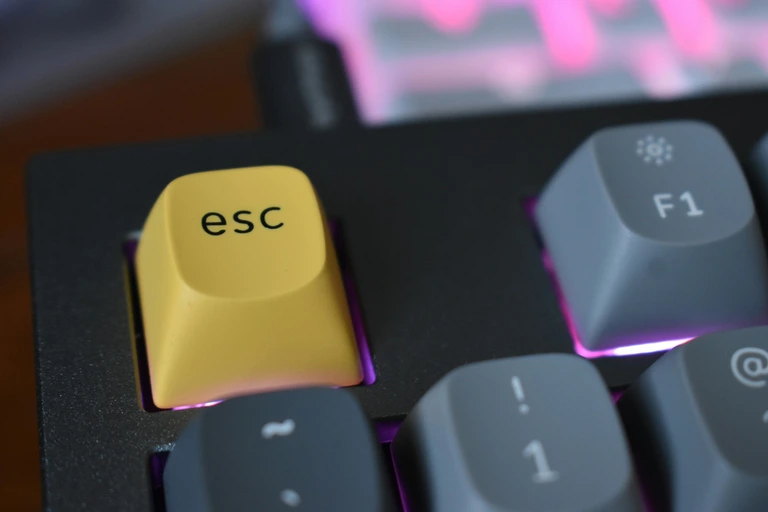
What a typewriter sound is
A typewriter sample is usually bright and percussive. You hear the strike more than the housing. Some packs add a return ding. The point is nostalgia, not a specific Cherry MX colorway.
That vibe can be fun for a first draft. It can also get tiring in a shared room, because the tone sits up in the treble. If you want “old machine in a movie,” this is the family.
CupertinoClicks does not ship a typewriter pack. The 30 keyboard presets are 26 named mechanical recordings plus four novelty jokes (Whip, Bruh, Gunshot, Spongebob laugh). Those jokes are not vintage office either. They live in their own list so they never sit next to Holy Panda.
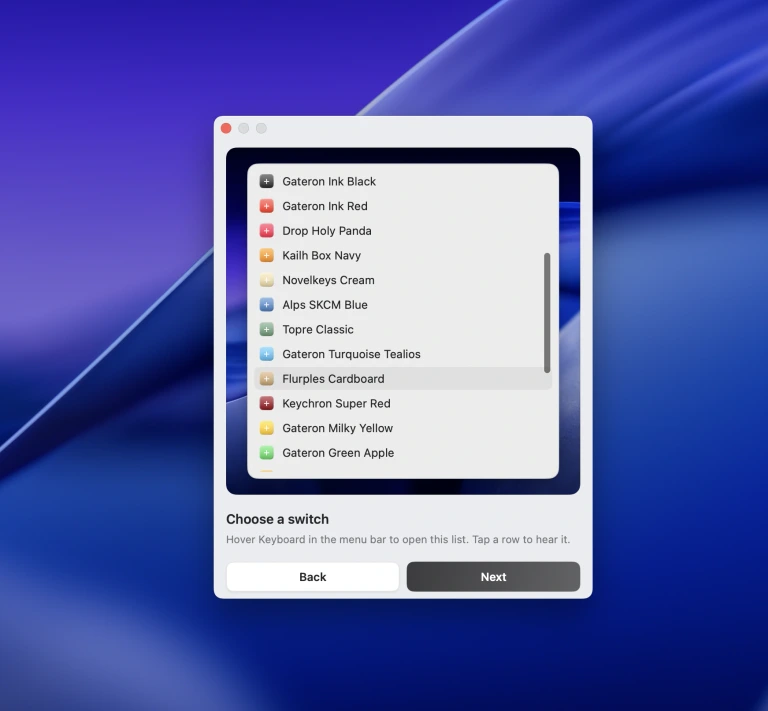
What a mechanical switch sound is
A mechanical preset is a recording of a real switch: downstroke and upstroke. Linear feels smooth. Tactile has a bump. Clicky has a click jacket, a small part that makes a sharp tick. Specialty recordings (Topre, buckling spring) sit outside the MX clone set.
If you already have a favorite board, this is the closer match. Cherry MX Brown is a common “not too loud” pick. Cherry MX Blue is the classic click. Drop Holy Panda and Everglide Oreo are tactile with more body. Gateron Ink Black, Durock Alpaca, and Akko Creamy Purple cover the warm linear side. IBM Buckling Spring and Alps SKCM Blue sit outside the MX clone set.
Every named preset in CupertinoClicks
CupertinoClicks ships 30 keyboard presets (26 mechanical recordings and 4 novelty packs) plus 5 mouse click presets. The names below match the menu bar. Hear them in the online typing trainer, or read how each switch feels on the mechanical keyboard switch library.
Durock. Durock Alpaca.
IBM. IBM Buckling Spring.
Cherry MX. Cherry MX Black, Cherry MX Black Pro, Cherry MX Blue, Cherry MX Brown, Cherry MX Green, Cherry MX Silver Speed, and Obsidian.
Gateron. Gateron Ink Black, Gateron Ink Red, Gateron Turquoise Tealios, Gateron Milky Yellow, Gateron Green Apple, and Gateron Yellow Pro.
Drop. Drop Holy Panda.
Kailh. Kailh Box Navy.
NovelKeys. Novelkeys Cream.
Alps. Alps SKCM Blue.
Topre. Topre Classic.
Flurples. Flurples Cardboard.
Keychron. Keychron Super Red.
Akko. Akko Creamy Purple and Akko V3 Cream Yellow.
Everglide. Everglide Crystal Purple and Everglide Oreo.
Novelty. Bruh, Gunshot, Spongebob laugh, and Whip.
Mouse clicks
Quartz, Onyx, Porcelain, Steel, and Flint.
For the vocabulary behind “thock” and “clack,” see thock vs clicky vs clacky.
Which one for work
Ask what you want the sound to do.
- Focus in headphones: a deep linear or a padded tactile. Keep volume low.
- A little ceremony: clicky MX or buckling spring. You will hear it. So will a roommate.
- A joke for five minutes: a novelty pack, then switch back.
- Vintage office: a dedicated typewriter pack in another app. CupertinoClicks is built around named switches, not a carriage return.
Most people type better when the sample is quiet enough to ignore and present enough to feel.
How to try both ideas on a Mac
You cannot swap the Magic Keyboard’s mechanism, but you can A/B mechanical presets in the online typing trainer and in the Mac app’s built-in trainer. Type the same paragraph on a warm linear, then on a clicky switch. If you miss the typewriter ding, you will know in a minute.
When you want that preset in every app, follow how to add keyboard sounds on a Mac. The same recordings work on a MacBook, a Magic Keyboard, and most external boards – more on the Magic Keyboard path here.
FAQ
Does CupertinoClicks include typewriter sounds?
No. CupertinoClicks ships 26 named mechanical switch recordings, plus four novelty jokes (Whip, Bruh, Gunshot, Spongebob laugh). Those jokes are not vintage office either. If you want a carriage-return ding, use a dedicated typewriter pack in another app.
Which is quieter for an office or coffee shop?
A deep linear or padded tactile mechanical preset, at low volume, in headphones. Typewriter samples sit up in the treble and get tiring in a shared room. Clicky mechanical presets (Cherry MX Blue, buckling spring) carry across a quiet room.
Can I try both before I install anything?
You can A/B mechanical presets in the free online typing trainer. CupertinoClicks does not include a typewriter pack, so that side of the comparison needs another app. Type the same paragraph on a warm linear, then on a clicky switch. A minute is enough.